You already know this programming language.
A Wendoo program reads the way you would say it: WHEN I sense something DO take an action. It is a tile-based language for telling things how to behave: creatures in a simulation, a micro:bit on your bench, a robot on the floor. The rules that run each one are called its brain. Build a brain on your own, or side by side with the AI assistant, both of you working in the same editor. Either way, the result is a program anyone can instantly understand.
 Try the Ecosystem Demo

The language
A program is a list of rules.
Each rule has a WHEN side and a DO side. Tiles come from a fixed, typed vocabulary: sensors that read the world, actuators that act on it, and modifiers that adjust either. A set of rules is a brain, and each creature or device runs its own.
Wendoo is not a step-by-step language, and it does not try to be one. A brain has no beginning, middle, or end. It just keeps running. Wendoo rules are shaped like attention: every frame, each rule watches for one thing and acts when it sees it. When a step-by-step procedure is needed underneath, such as sorting a list, you write it in TypeScript as a new tile.
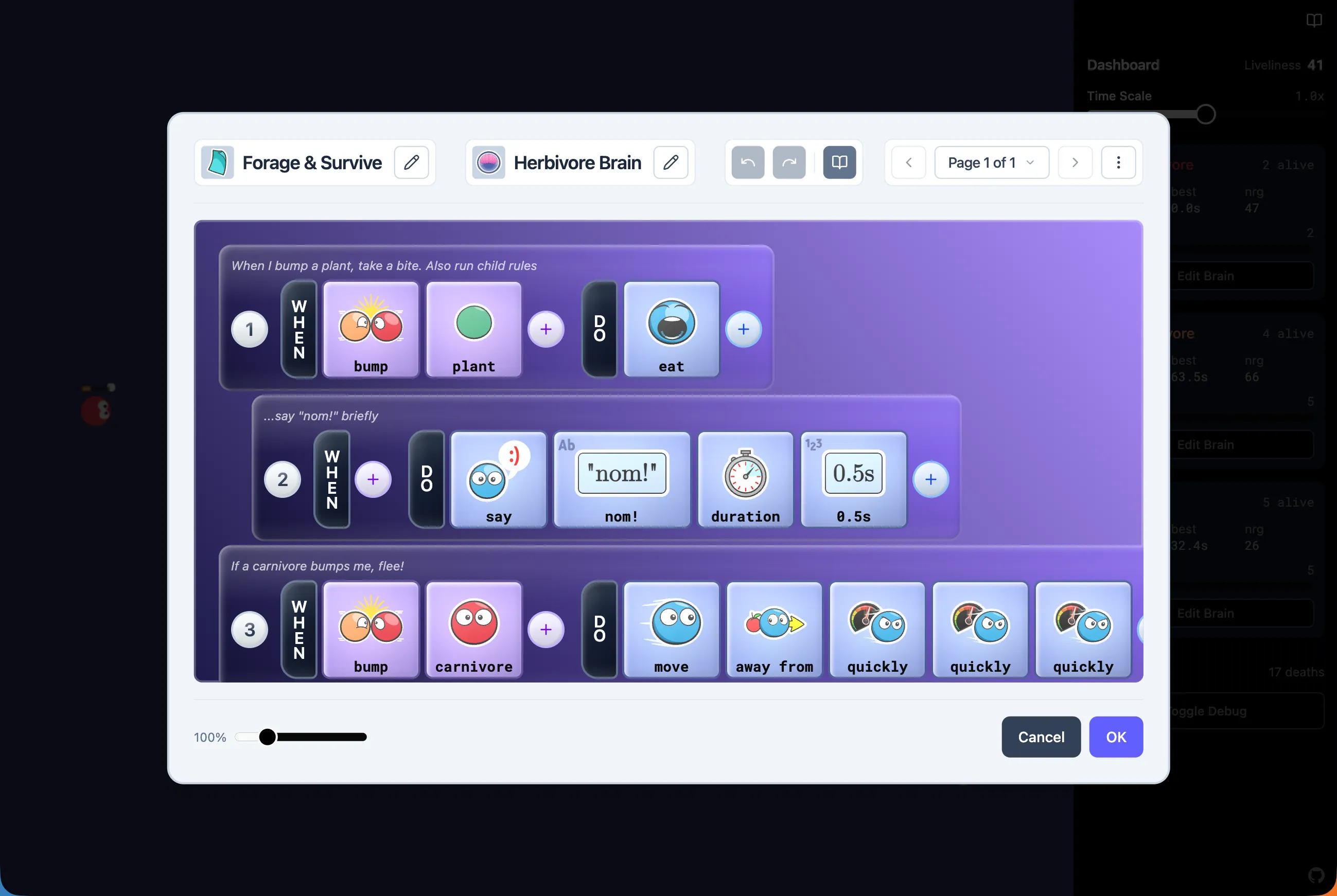
Fleeing comes first, so it wins.
Runs only when rule 2 fired.
After eating finishes.
The rest of the time, wander.
A herbivore brain from the Ecosystem demo, drawn schematically. In the editor each tile also has an icon, so you can skim the pictures for the gist and read the words for the exact logic.
- Top to bottom, every frame
- Rules are checked over and over while the brain runs, top to bottom, and every rule whose condition holds fires. Put the urgent rule first and the default rule last, and priority takes care of itself.
- Child rules and pages
- Indent a rule under another and it waits for its parent to fire. A page is a state of a brain: only one runs at a time, and the rules on the others are asleep. Switch pages to change what the brain is doing: forage, flee, idle.
- ELSE and THEN
- ELSE fires when the rule above it did not, and a bare ELSE at the bottom catches everything the rules above it missed. THEN waits for everything the rule above it started to finish. Branches and sequences, written as rules.
- Valid by construction
- At every position, the editor offers exactly the tiles the compiler would accept there. An invalid program cannot be built through the editor.
Hi! What should we build?
Plan
A flee rule above the foraging rules, gated on the eat rule not being in flight. I will use the existing see and move tiles.
Edits landed
- Added rule 1: WHEN see carnivore nearby DO move away from quickly
- Compiled with no diagnostics
Rehearsal
Ran 300 thinks with a carnivore approaching. Rule 1 fired 21 times and the herbivore kept its distance. The eat rule was never interrupted.
Result
It passes. Try it.
Schematic of the assistant panel.
The assistant
Say what you want. See it built.
The assistant works in the same editor you do, on the same brain. Say what you want it to do, in plain words, and it reads the current brain and the available tiles, then writes rules the same way you would. You can edit while it works, and it builds on your edits.
Every brain the assistant works on has to answer three questions, and each one has a different judge.
- Is it valid?
- The editor only allows tiles that fit. The assistant builds through the same operations you do, so an invalid program cannot be constructed.
- Does it deliver?
- Before it says the brain does what you wished for, the assistant writes its own test scenario, runs it in a deterministic simulation, and checks the result. It repeats this until the test passes.
- But is it right?
- Valid and demonstrated are not the same as right. Whether the brain does what you meant is your call, and you make it by trying it out.
Platforms
One brain. Any body.
A brain compiles to one bytecode, the same bytes for every platform. Three virtual machines run it today, and tests confirm they agree. The language is the same everywhere. A platform adds only its own vocabulary: tiles for what it can sense and do.
Browser
TypeScript VMThe reference implementation. It runs the Ecosystem demo, the micro:bit simulator, and the assistant’s rehearsals, all in the browser.
micro:bit v2
Native C++ VMThe same bytecode on the board itself. Build in the browser, flash over WebUSB, and the brain runs unchanged. It behaves exactly as the reference VM does, and tests confirm it.
Roblox
Luau targetThe core compiles to Luau. The Ecosystem demo creatures run in a Roblox arena using the same brains as the web app, unmodified.
Node.js runs the same core for tests and tooling. Given the same inputs, a brain behaves the same on every platform, so what you tested in the browser is what runs on the board.
Hardware
From browser to breadboard.
The micro:bit editor runs several simulated boards in your browser that can talk to each other over radio, so brains for multiple micro:bits can be tested without flashing any hardware. When it does what you want, plug in a real micro:bit v2 and flash. Chromium browsers flash over WebUSB. Everything else downloads a hex file.
Libraries add tiles for whatever is plugged in: a robot chassis, a game controller, a sensor, a display. A library’s tiles read like the rest of the language.
Sense
- Buttons A, B, and the touch logo
- Gestures: shake, tilt, face up or down, free fall
- Accelerometer, light level, temperature
- Radio messages from other micro:bits
Do
- The 5×5 display: images, text, single pixels
- Sounds, sound emoji, and tones
- Radio to other micro:bits
- Robots and controllers through libraries
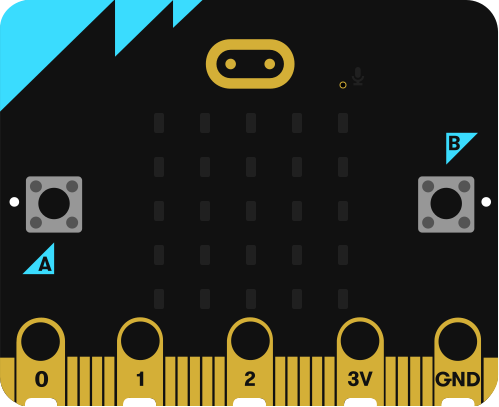
A brain for two micro:bits: press A to show a heart, shake to send a greeting, and scroll whatever arrives. The same three rules run in the simulator and on the board.
Developers
Extend it in TypeScript. Embed it anywhere.
The tile vocabulary is not fixed. A new sensor or actuator is a small TypeScript module, and a library is an ordinary project that other projects depend on. The language core is an npm package you can put in your own game, simulation, or tool.
Write a tile
Write it in VS Code for the Web, connected to a running app, or on desktop in a project folder. Save, and the tile is in the editor. It runs everywhere a brain does.
import {
  Actuator, type Context, type ActorRef, param,
} from "wendoo";

export default Actuator({
  name: "teleport",
  args: [param("target", { type: "ActorRef" })],
  onExecute(ctx: Context, args: { target: ActorRef }) {
    ctx.self.position = args.target.position;
  },
});
Embed the language
Create an environment, register your app’s types, sensors, and actuators as a module, and give each actor a brain. The type system, operators, and editor extend to cover your types automatically.
import {
  createWendooEnvironment, coreModule,
} from "@wendoo/core";

const env = createWendooEnvironment({
  modules: [coreModule(), createAppModule()],
});

const brain = env.createBrain(brainDef, { context: actor });
brain.startup();
brain.think(now); // once per simulation tick
Share a library
A library is a Wendoo project published on GitHub, pinned to a release. Add it to a project and its tiles are yours to use. Libraries work together: one can read a controller’s stick while another turns that into a robot’s steering.
gh:<owner>/<repo>@<tag>Packages
-
@wendoo/coreThe language: tiles, parser, type checker, compiler, VM. Browser, Node.js, and Luau targets. -
@wendoo/uiThe brain editor as React components. -
@wendoo/docsIn-app documentation sidebar and renderer for tiles and patterns. -
@wendoo/ts-compilerCompiles TypeScript sensors and actuators to Wendoo bytecode. -
@wendoo/assistant-bridgeHow an assistant talks to a Wendoo editor.
Lineage
Where Wendoo comes from.
Wendoo continues a line of tile-based, rule-based systems built so that anyone can program behavior, with or without a background in code: Kodu Game Lab, Project Spark, and MicroCode on the micro:bit. Each showed that people can read, reason about, and change a program when it reads naturally.
Wendoo carries that idea forward as a language any app can embed: MIT licensed, with a published VM contract, a runtime for the browser and for hardware, and demos you can take apart.